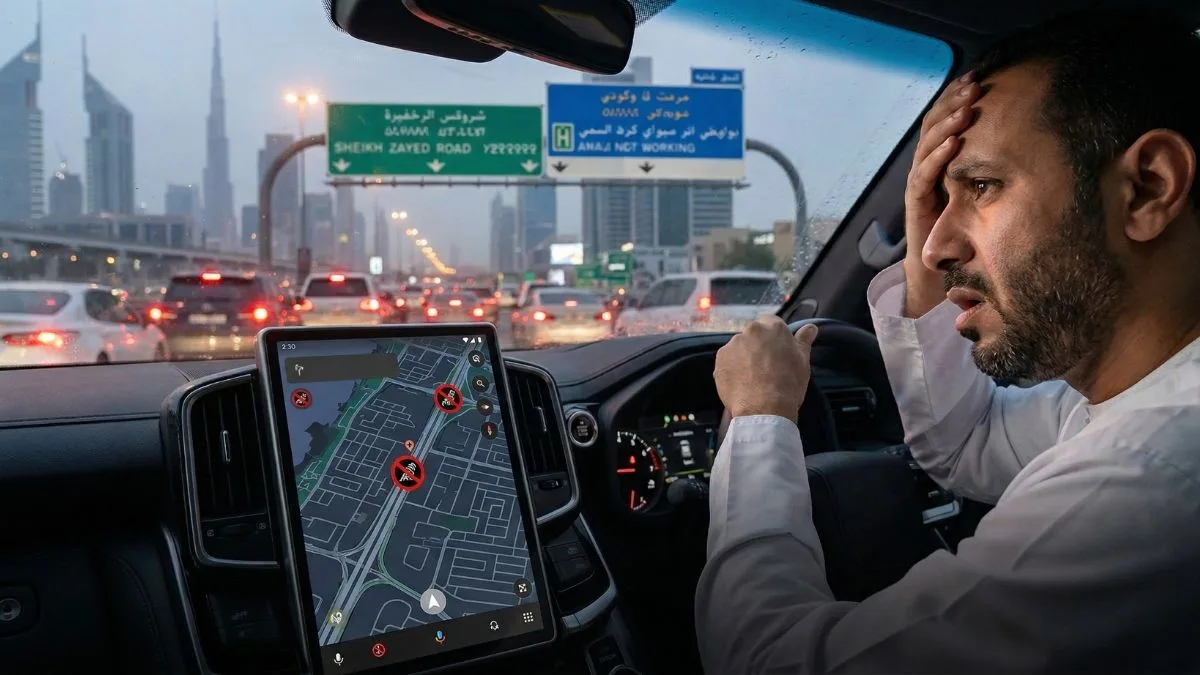
If your Google Maps is dropping you in the wrong location, Waze keeps recalculating on a road you know perfectly, or your iPhone suddenly thinks you’re somewhere in Iran – you are not alone, and nothing is wrong with your device.
GPS is not working properly across the UAE right now, and the cause has nothing to do with your phone, your SIM, or any app update you may have missed. Here is exactly what is happening, why it is happening, and the practical steps you can take today to keep navigating reliably.
What “GPS Not Working” Actually Looks Like
The symptoms vary depending on which type of interference your phone is catching at any given moment. Some residents are experiencing a total failure to lock – the blue dot simply spins endlessly or disappears. Others are seeing something more unsettling: their phone confidently places them several kilometres away from where they are standing, or even in a different country entirely.
UAE residents have reported their smartphone locations and time zones switching without warning to Tehran, Iran, with the pattern showing up across Abu Dhabi and Dubai alike. Apps like Snapchat and Instagram have been geotagging posts to Iran for users who are physically in the UAE. Foursquare check-ins are landing in the wrong emirate. Ride-hailing pickups are failing because the app cannot place the passenger accurately.
This is not a server outage. It is not a bug in any specific app. It is a signal-level problem arriving from well outside your phone, and understanding it is the first step to working around it.
The Technical Reason Your GPS Is Wrong
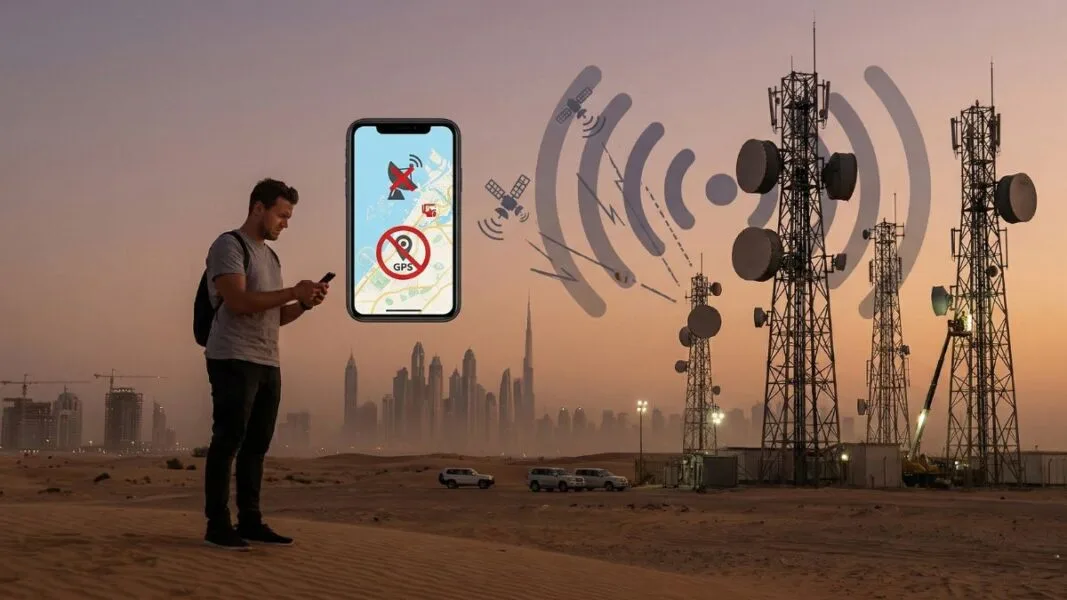
There are two distinct phenomena disrupting GPS in the UAE right now, and they cause different symptoms.
GPS Jamming is the simpler of the two. Jamming overwhelms the extremely weak radio signals sent by GPS satellites with high-powered noise broadcast on the same frequency, causing the receiver to lose its lock on the satellites entirely. France 24 When your Google Maps shows a grey, pulsing dot with no position fix, or your Waze refuses to start routing, jamming is most likely the cause.
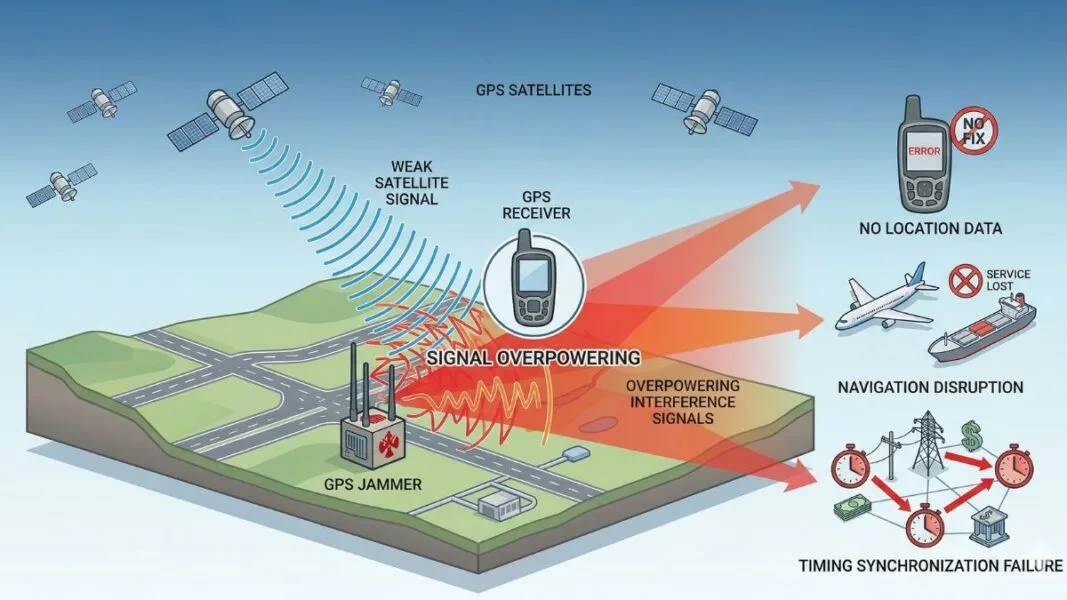
GPS Spoofing is more sophisticated and, from a user perspective, more dangerous because it is invisible. Spoofing introduces false signals into a GPS receiver, tricking it into producing confident but entirely incorrect navigation data. France 24 Your phone does not know it has been deceived – it locks onto a signal, calculates a precise position, and displays it on the map with full confidence. That is why some residents are seeing themselves placed in Iran: the phone found a strong signal, trusted it completely, and the signal was false.
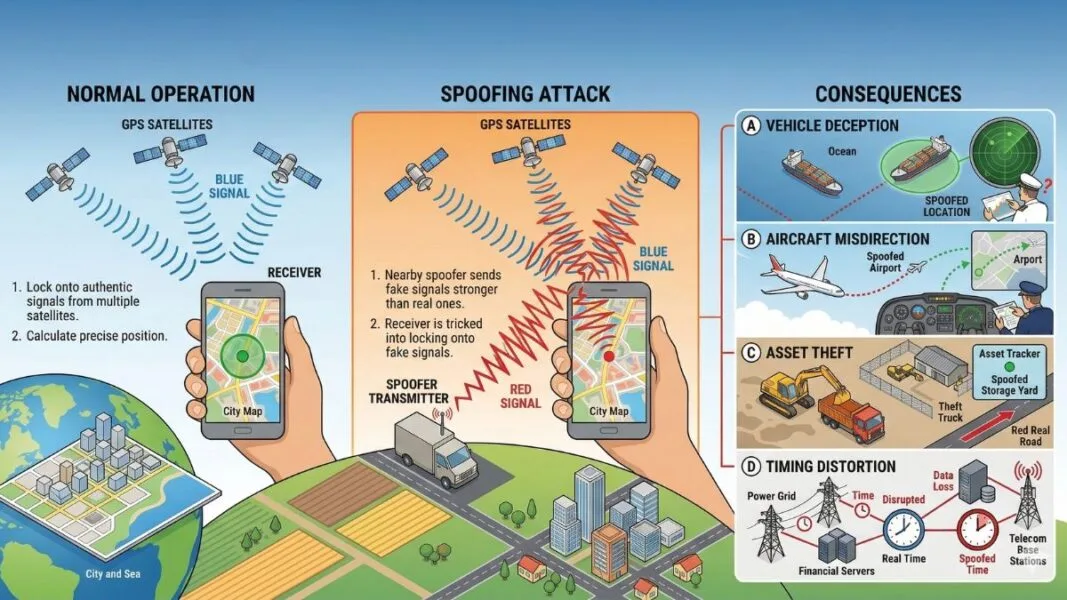
Both work because the very things that make GPS so widely adopted across all technology devices are the same things that make it brittle and susceptible to interference. The National The signals travelling from satellites 20,000 kilometres above earth arrive at your phone incredibly weak – and a sufficiently powerful ground-based transmitter can drown them out or replace them entirely.
Why Is This Happening in the UAE Specifically
GPS jamming and spoofing are not new phenomena – interference has been a growing issue since the Russian invasion of Ukraine in 2022, when GPS-guided drones were deployed in combat at scale for the first time. What changed recently is the proximity and intensity of that activity to the UAE.
The process involves militaries and affiliated groups intentionally broadcasting high-intensity radio signals in the same frequency bands used by navigation tools, with commercial and civilian users caught in the crossfire, even though they are not the intended target. The electronic interference aimed at disrupting drones and guided munitions does not distinguish between a military target and a resident in Dubai trying to find a parking spot.
The current scale is significant. More than 1,100 vessels experienced GPS and AIS interference across the Middle East Gulf within a single 24-hour period, with ships falsely positioned at airports, at a nuclear power plant, and on land in Iran. According to France 24, incidents had been reported intermittently since mid-2025, but the scope increased exponentially following the military escalation of late February 2026. That same interference blankets land and sky across the UAE, affecting every smartphone and navigation device in the region.
As CNN reported, experts now describe GPS interference as endemic in certain regions near conflict, including parts of the Middle East.
How Google Maps, Waze, Apple Maps and Others Are Each Affected
Every major navigation app is affected because they all ultimately draw on the same underlying GPS hardware inside your phone. No app is immune. But they handle degraded signals differently, and understanding those differences helps you pick the right tool for the moment.
Google Maps relies on a blend of GPS, Wi-Fi positioning, and mobile network triangulation. When GPS is jammed or spoofed, it attempts to fall back on the latter two, which means in dense urban areas with strong Wi-Fi coverage, like Downtown Dubai or Abu Dhabi Corniche, it often holds position better than apps that are more GPS-dependent. The weakness shows most when you are moving at speed, where Wi-Fi and cell triangulation cannot keep up.
Waze is more GPS-dependent than Google Maps, particularly for its real-time traffic processing. Route accuracy degrades more noticeably during active interference. Waze does offer offline map downloads, which help with map rendering but do not solve the underlying position problem. If Waze is behaving erratically, switching to Google Maps is a reasonable first move.
Apple Maps on iPhone uses Apple’s own location framework, which blends GPS, Wi-Fi, Bluetooth beacons, and cellular data. In dense urban environments, iPhone users have reported marginally better fallback stability – but spoofing, where the device locks onto a false signal with full confidence, affects all platforms equally, regardless of how sophisticated the fallback logic is.
Foursquare and other location-based discovery or check-in apps are among the worst hit, because they depend on a precise static point fix rather than a moving route. Expect check-ins, location tags, and nearby search to be unreliable until the disruption subsides. Do not rely on Foursquare for business searches requiring accurate distance calculations right now.
HERE WeGo and Maps.me both offer full offline UAE map downloads and are worth having installed as backups. The map data renders completely without signal – the limitation is that your position dot still relies on your phone’s GPS, so pair it with the workarounds below.
What To Do Right Now: A Practical Guide
Force a fresh position fix. On both Android and iPhone, toggling Aeroplane Mode on for 10 seconds and then off forces your phone to drop its GPS lock and attempt a fresh acquisition. If your device has latched onto a spoofed signal, this sometimes clears it – particularly if you are in a location with strong Wi-Fi, which can anchor a more accurate cell-based position before GPS re-locks.
Switch your positioning mode on Android. Go to Settings, then Location, then Location Mode, and try switching from High Accuracy (which uses GPS) to Wi-Fi and Bluetooth only. Counterintuitively, removing GPS from the equation entirely during active spoofing can give you a more accurate position in urban areas, because you eliminate the false satellite signal and rely purely on local network data.
Download offline maps before you leave. Both Waze and HERE WeGo allow full UAE offline map downloads. Do this on Wi-Fi at home before your journey. If GPS fails mid-route, you still have full map data loading instantly – you are only missing the live position dot, which you can estimate manually from road signs and landmarks.
Trust your eyes over the app. This sounds obvious, but matters practically: if your navigation app is telling you to turn somewhere that does not match the road in front of you, trust the road. A spoofed GPS can issue confidently wrong instructions, and the map’s rendering of your position can lag or jump suddenly.
Fix your time zone manually. If your phone’s clock has switched to Tehran time, go to Settings, then General or Date and Time, and disable Set Automatically. Manually set your time zone to Gulf Standard Time (GST, UTC+4). This will not repair the GPS but will stop apps from calculating arrival times, timestamps, and notifications incorrectly.
Allow extra journey time. Until the disruption settles, give yourself a buffer – particularly for airport runs, medical appointments, or any journey involving an unfamiliar destination. Relying on real-time navigation in the current environment carries more risk than usual.
Will GPS in the UAE Return to Normal
Experts who study GPS interference now describe the disruption as a new normal in regions near active conflict – noting that the era of satellite navigation signals being reliably undisturbed is effectively over, and that technology needs to rapidly catch up.
For UAE residents, the practical outlook is tied to broader regional events. As military activity and tensions in the Gulf fluctuate, so does the intensity of interference – previous episodes have subsided within days to weeks as conditions changed.
In the longer term, multi-constellation navigation – devices and apps that draw simultaneously on GPS, Europe’s Galileo, Russia’s GLONASS, and China’s BeiDou – provides greater resilience because jamming one constellation does not knock out all four. Most flagship Android phones and iPhone 14 onwards support all four constellations natively. If you are on an older device, this is a practical reason to consider an upgrade.
For now, use the workarounds above, give yourself extra time, and keep an eye on updates from local authorities on whether any official guidance is issued.
Frequently Asked Questions
GPS disruption across the UAE is currently caused by electronic interference – specifically jamming and spoofing – linked to regional military activity in the Gulf. It affects all smartphones and navigation devices equally, regardless of brand or operating system.
A restart can help if your device has locked onto a spoofed signal, as it forces a fresh GPS acquisition. However, if active jamming is occurring in your area, the disruption will continue until the interference source is reduced.
Neither. The issue is with the GPS satellite signals themselves being interfered with at a regional level. Your phone, SIM, and data connection are functioning normally.
Google Maps tends to degrade most gracefully in urban areas because of its strong Wi-Fi and cellular fallback logic. For offline reliability, HERE WeGo, with a pre-downloaded UAE map, is the most resilient option.
There is no fixed timeline. Previous episodes of GPS disruption in the region have lasted days to a few weeks. Monitor reliable local news sources for updates.